
Properly charging your DEWALT battery is crucial for maintaining its performance and longevity. According to the manufacturer’s manuals, it’s essential to read the instruction manual before using the charger and battery pack to avoid injury or damage.
Following safety guidelines is vital when charging your DEWALT battery. Improper charging can lead to reduced battery life, damage to the tool, or even cause a fire. By understanding the correct charging procedures, you can ensure safe and efficient operation of your DEWALT power tools.
To get the most out of your DEWALT battery, it’s essential to follow the recommended charging instructions. This guide will walk you through the step-by-step process of charging your DEWALT battery, helping you to maintain its performance and extend its lifespan.
Key Takeaways
- Always read the instruction manual before using the charger and battery pack.
- Follow safety guidelines to avoid injury or damage.
- Proper charging procedures ensure safe and efficient operation.
- Improper charging can lead to reduced battery life or damage.
- Following the recommended charging instructions is crucial.
Understanding DEWALT Battery Types
DEWALT batteries come in different types, and knowing the distinctions between them can significantly impact your tool’s efficiency. The primary types of DEWALT batteries are Lithium-Ion (Li-Ion) and Nickel-Cadmium (NiCd), each with its own characteristics.
Lithium-Ion vs. NiCd Batteries
Lithium-Ion batteries have become the standard for DEWALT tools, offering several advantages over the older NiCd technology. Li-Ion batteries are known for their higher energy density, which translates to more power in a smaller and lighter package.
In contrast, NiCd batteries, while robust, contain heavy metals that are harmful to the environment. They also suffer from a “memory effect,” where the battery loses its maximum capacity if it’s repeatedly recharged without being fully discharged.
| Battery Type | Energy Density | Environmental Impact | Memory Effect |
|---|---|---|---|
| Lithium-Ion (Li-Ion) | High | Lower | No |
| Nickel-Cadmium (NiCd) | Lower | Higher | Yes |
Benefits of Lithium-Ion Batteries
Lithium-Ion batteries offer several key benefits, including a longer cycle life, lower self-discharge rate, and higher energy density. This means Li-Ion batteries can be recharged more times, hold their charge longer when not in use, and provide more power relative to their size.
For DEWALT users, these benefits translate into improved performance and reduced maintenance. By understanding the advantages of Li-Ion batteries, users can make informed decisions about their tool investments and charging practices.
Importance of Proper Battery Charging
Effective battery charging is key to maintaining the performance and extending the life of DEWALT tools. Proper charging techniques can significantly impact the overall health and functionality of your DEWALT batteries.
Extending Battery Life
Proper charging practices play a crucial role in extending the life of your DEWALT batteries. Avoiding overcharging is one of the most important aspects of battery care. Overcharging can lead to reduced battery life and performance issues. According to DEWALT manuals, keeping the battery away from extreme temperatures is also vital.
Best Practices for Extending Battery Life:
- Avoid overcharging by removing the battery from the charger once it’s fully charged.
- Store batteries in a cool, dry place away from direct sunlight.
- Regularly inspect batteries for signs of damage or wear.
Ensuring Optimal Performance
Correct charging practices not only extend battery life but also ensure that your DEWALT tools operate at their best. A well-maintained battery provides consistent power, reducing the risk of tool malfunction during critical tasks.
| Charging Practice | Benefit |
|---|---|
| Avoiding Overcharging | Reduces risk of battery damage and prolongs life |
| Proper Storage | Maintains battery health during periods of non-use |
| Regular Inspection | Identifies potential issues before they become major problems |

By following these guidelines and understanding the importance of proper battery charging, you can maximize the performance and lifespan of your DEWALT batteries. This not only enhances your tool’s functionality but also contributes to a safer and more efficient work environment.
Preparing to Charge Your DEWALT Battery
Proper preparation is key to charging your DEWALT battery safely and effectively. Before you begin the charging process, there are a couple of critical steps to follow to ensure everything goes smoothly.
Selecting the Right Charger
The first step in preparing to charge your DEWALT battery is to select the appropriate charger. DEWALT batteries are designed to work with specific chargers, and using the correct one is crucial for safe and efficient charging. Check your battery’s model and match it with the corresponding charger. Using a charger that is not compatible with your battery can lead to inefficient charging or even damage the battery.
Inspecting the Battery for Damage
Before charging, it’s essential to inspect the battery for any signs of damage. Look for cracks, dents, or any other visible wear and tear. Check the contacts for dirt or corrosion, as these can interfere with the charging process. If you notice any damage, it’s recommended not to charge the battery. Instead, consider replacing it to avoid any potential safety risks.
By following these preparatory steps, you can ensure that your DEWALT battery is charged safely and efficiently, maintaining its performance and longevity.
Steps to Charge Your DEWALT Battery
To ensure your DEWALT battery is charged correctly, follow these simple steps. Charging your DEWALT battery involves a few straightforward actions that, when done properly, ensure your tool is ready for use.
Connecting the Charger
The first step in charging your DEWALT battery is to connect the charger to a suitable power outlet. Ensure the outlet is not overloaded and is compatible with the charger’s voltage requirements. Next, insert the DEWALT battery pack into the charger, making sure it clicks into place securely.
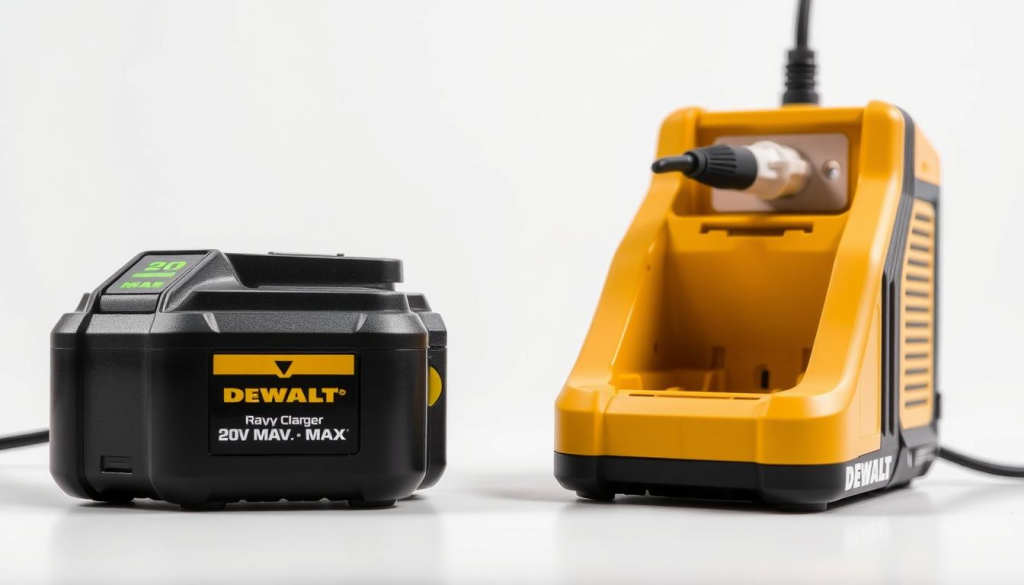
Monitoring the Charging Process
Once the battery is connected to the charger, the charging process begins. It’s essential to monitor the charging indicators to understand the status of your battery. Most DEWALT chargers have LED lights that indicate whether the battery is charging, fully charged, or if there’s an issue.
Understanding Indicator Lights
The indicator lights on your DEWALT charger provide crucial information about the charging status. Typically, a red light indicates that the battery is charging, while a green light signifies that it’s fully charged. Some models may have additional lights or colors to indicate faults or other conditions. Refer to your charger’s manual for specific details on what each light means.
By following these steps and understanding the indicator lights, you can efficiently charge your DEWALT battery and ensure it’s ready for your next project.
Common Charging Issues and Solutions
Charging problems with DEWALT batteries are not uncommon, yet knowing how to address them can significantly enhance your tool’s performance. Understanding the root causes of these issues is crucial for effective troubleshooting.
Battery Not Charging
If your DEWALT battery is not charging, several factors could be at play. First, inspect the battery contacts for dirt or corrosion, as this can prevent the battery from charging properly. Cleaning the contacts with a soft brush or cloth can often resolve the issue.
Another common reason for a battery not charging is overheating. If the battery is too hot, it may not charge until it cools down. Ensure you’re charging the battery in a well-ventilated area and avoid leaving it in direct sunlight or near a heat source.
Charger Not Functioning Properly
A malfunctioning charger can also cause charging issues. Check the charger for any visible signs of damage, such as frayed cords or broken plugs. Ensure the charger is properly connected to both the battery and the power source.
If the charger is not working, try using it with a different DEWALT battery. If it still doesn’t work, the issue might be with the charger itself, and it may need to be replaced.
To help you better understand and address common charging issues, refer to the following troubleshooting guide:
| Issue | Cause | Solution |
|---|---|---|
| Battery not charging | Dirty or corroded contacts | Clean the contacts |
| Battery not charging | Overheating | Allow the battery to cool down |
| Charger not functioning | Damaged charger | Inspect and replace the charger if necessary |
By following these troubleshooting steps, you can identify and resolve common charging issues with your DEWALT battery, ensuring your tools remain operational and efficient.
Safety Tips for Charging Batteries
Safety should always be your top priority when charging DEWALT batteries to prevent accidents and injuries. Charging your battery correctly not only ensures your safety but also prolongs the battery’s lifespan and maintains its performance.
Avoiding Overheating
One of the critical safety measures when charging DEWALT batteries is avoiding overheating. Overheating can significantly reduce the battery’s lifespan and potentially lead to more severe safety issues.
- Always charge your DEWALT battery in a well-ventilated area.
- Keep the battery and charger away from flammable materials.
- Monitor the charging process and unplug the charger when the battery is fully charged.
Using the Right Voltage
Using the correct voltage is essential for the safe and efficient charging of your DEWALT battery. Using a charger with the wrong voltage can damage the battery and pose safety risks.
| Voltage Compatibility | Charger Model | Battery Type |
|---|---|---|
| 20V | DEWALT DCB200 | 20V Lithium-Ion |
| 40V | DEWALT DCB400 | 40V Lithium-Ion |
| 60V | DEWALT DCB600 | 60V Lithium-Ion |
Always refer to your DEWALT battery’s manual to ensure you’re using the correct charger and voltage.
By following these safety tips, you can ensure a safe and effective charging process for your DEWALT batteries. Regular maintenance and adherence to safety guidelines are crucial for optimal performance and longevity.
Maintaining Your DEWALT Battery
Maintaining your DEWALT battery involves a few simple steps that can significantly impact its performance and longevity. Proper care ensures that your battery continues to power your tools efficiently and effectively.
Regular Cleaning Practices
Regular cleaning is vital for maintaining your DEWALT battery. Dust and debris can accumulate on the battery contacts, potentially causing issues with charging and performance. To clean your battery, use a soft brush or a dry cloth to gently remove any dirt or debris from the contacts and the exterior.
Important Cleaning Tips:
- Use a dry cloth to avoid any liquid damage.
- Avoid using harsh chemicals or abrasive materials.
- Regularly inspect the battery for signs of wear or damage.
Storing the Battery Correctly
Proper storage is crucial for maintaining the health of your DEWALT battery. When not in use, store the battery in a cool, dry place away from direct sunlight and moisture. It’s also recommended to store the battery in a protective case to prevent physical damage.
| Storage Condition | Recommendation |
|---|---|
| Temperature | Store between 40°F and 100°F (4°C and 38°C) |
| Humidity | Keep in a dry environment, avoid moisture |
| Protection | Use a protective case to prevent damage |
Following these storage guidelines can help extend the life of your DEWALT battery and ensure it remains ready for use.
Troubleshooting Charging Problems
DEWALT battery users often encounter charging issues, but identifying the root cause can be straightforward with the right guidance. Troubleshooting charging problems involves understanding the factors that affect your battery’s performance and lifespan.
Identifying Battery Age and Health
The age and health of your DEWALT battery significantly impact its charging capability. To assess your battery’s condition, check its manufacturing date, usually found on the label or in the manual. Lithium-Ion batteries, like those used in DEWALT tools, have a limited lifespan and their capacity diminishes over time.
Inspecting the battery for physical damage or wear is also crucial. Look for signs of swelling, rust, or corrosion on the terminals, as these can prevent the battery from charging properly.
When to Replace the Battery
If your DEWALT battery is old or damaged, it may be time to consider replacing it. A battery that no longer holds a charge or has significantly reduced performance is a clear indicator that it’s nearing the end of its life.
Additionally, if you’ve tried troubleshooting and the issue persists, replacement might be the most cost-effective solution. It’s also worth considering the battery’s maintenance history; if it has been properly cared for, it will last longer.
- Check the battery’s age and compare it with the manufacturer’s recommended lifespan.
- Assess the battery’s overall health by inspecting for damage and testing its charge capacity.
- Consider the cost and benefits of replacing the battery versus continuing to troubleshoot.
Frequently Asked Questions About DEWALT Batteries
As a leader in power tool technology, DEWALT batteries are widely used, but FAQs remain. Users often have questions about charging, maintenance, and compatibility. Here, we address some of the most common inquiries to help you get the most out of your DEWALT batteries.
How Long Should Charging Take?
The charging time for DEWALT batteries can vary depending on the battery type and charger used. Typically, a DEWALT battery takes around 30 minutes to 1 hour to charge to 80% capacity, and up to 2 hours for a full charge. It’s essential to refer to your specific charger’s manual for exact charging times.
Factors affecting charging time include the battery’s age, its capacity, and the charger’s output. Using the correct charger for your DEWALT battery is crucial for optimal charging performance.
| Battery Type | Charger Model | Full Charge Time |
|---|---|---|
| DEWALT 20V | DCF 100 | 1.5 hours |
| DEWALT 40V | DCF 200 | 2 hours |
| DEWALT 60V | DCF 300 | 2.5 hours |
Can I Use a Different Charger?
It’s generally not recommended to use a different charger with your DEWALT battery unless it’s specified by the manufacturer. Using an incompatible charger can lead to reduced battery performance, overheating, or even damage to the battery. Always check the compatibility of the charger with your DEWALT battery before use.
DEWALT provides a range of chargers designed for specific battery types. Refer to your user manual or the manufacturer’s website for guidance on compatible chargers.
Environmentally Responsible Battery Disposal
The environmentally responsible disposal of DEWALT batteries is a practice that every user should adopt. As the use of cordless power tools continues to grow, so does the need to manage their batteries sustainably at the end of their life cycle.
Recycling Options for DEWALT Batteries
DEWALT batteries, particularly those made with lithium-ion, can be recycled. Recycling not only helps in reducing environmental pollution but also conserves valuable resources. Many manufacturers and retailers offer battery recycling programs. Users can return their used batteries to designated collection points or participate in manufacturer-led recycling initiatives.
To recycle DEWALT batteries, users can visit local hardware stores or home improvement centers that have designated drop-off locations. Some communities also host special collection events for hazardous waste, including batteries.
Local Regulations for Battery Disposal
It’s crucial to adhere to local regulations regarding battery disposal. Different regions have varying laws and guidelines for disposing of hazardous waste, including batteries. Users should check with their local waste management agency to understand the specific requirements in their area.
Some areas may have specific collection facilities or events for battery disposal, while others might have designated drop-off locations. Being informed about these regulations ensures that DEWALT batteries are disposed of in a manner that minimizes environmental impact.
In conclusion, the responsible disposal of DEWALT batteries is a shared responsibility among users, manufacturers, and communities. By utilizing recycling options and complying with local regulations, we can significantly reduce the environmental footprint associated with battery disposal.
Conclusion: Keeping Your DEWALT Battery Charged and Ready
Properly charging and maintaining your DEWALT battery is crucial for its longevity and performance. By following the guidelines outlined in this article, you can ensure your battery remains in good condition and continues to power your tools effectively.
Best Practices for DEWALT Battery Charging
To maximize the life of your DEWALT battery, it’s essential to follow best practices for charging. This includes selecting the right charger, monitoring the charging process, and storing the battery correctly. A dewalt battery charging summary highlights the importance of avoiding overheating and using the correct voltage to prevent damage.
Following Guidelines for Optimal Performance
By adhering to the dewalt battery best practices and guidelines provided, you can ensure your DEWALT battery operates at its best. Regular cleaning and proper storage are also key to maintaining its health. Refer to this dewalt battery charging guide whenever you need a reminder on how to keep your battery charged and ready for use.