
Experiencing issues with your DEWALT charger can be frustrating, especially when you need your tools to get the job done. If your DEWALT battery charger is malfunctioning, it’s essential to identify the root cause of the problem.
Common problems with DEWALT chargers include faulty connections, overheating, or a defective charger unit. Understanding the potential causes can help you troubleshoot and resolve the issue efficiently.
Key Takeaways
- Identify common issues with DEWALT chargers
- Understand potential causes of charger malfunction
- Learn troubleshooting tips for DEWALT battery chargers
- Discover how to resolve DEWALT charger problems
- Find out when to replace a faulty DEWALT charger
Common Issues with DEWALT Chargers
DEWALT chargers, like any other device, can malfunction due to various reasons, including battery compatibility and power source issues. Understanding these common problems is crucial for effective troubleshooting.
Understanding Common Symptoms
When a DEWALT charger fails to charge, it’s often due to specific symptoms that can be identified with a bit of troubleshooting. Common symptoms include a charger that doesn’t turn on, a battery that doesn’t charge, or a charger that overheats. Identifying these symptoms is the first step towards resolving the issue.
For instance, if the charger doesn’t turn on, it could be due to a faulty power source or an issue with the charger itself. On the other hand, if the battery doesn’t charge, it might be a compatibility issue or a problem with the battery.
Battery Compatibility Problems
Battery compatibility is a significant factor in DEWALT charger performance. Using a battery that’s not compatible with your charger can lead to charging issues. DEWALT offers various battery types, including Lithium-ion and NiCad, each with its own set of compatible chargers.
| Battery Type | Compatible Charger | Common Issues |
|---|---|---|
| Lithium-ion | DEWALT Lithium-ion Charger | Overheating, Compatibility Issues |
| NiCad | DEWALT NiCad Charger | Memory Effect, Reduced Lifespan |
Faulty Power Sources
A faulty power source can also cause issues with your DEWALT charger. Ensuring that the power outlet is working correctly and that the charger’s power cord is not damaged is essential. Checking the power source is a simple yet effective troubleshooting step.
By understanding these common issues, you can take the first step towards troubleshooting and potentially fixing your DEWALT charger. Whether it’s a battery compatibility problem or a faulty power source, identifying the root cause is key to resolving the issue.
Troubleshooting Steps for DEWALT Chargers
Troubleshooting your DEWALT charger involves a few simple steps that can help you identify and potentially fix the issue. To start, it’s essential to methodically check various components to determine the root cause of the problem.
Checking Power Sources
The first step in troubleshooting your DEWALT charger is to check the power source. Ensure that the charger is properly plugged into a functioning outlet. Sometimes, the issue might not be with the charger but with the electrical supply. “A faulty power source can often be the culprit behind a malfunctioning charger,” as noted by experts in the field.
To verify the outlet is working, you can plug another device into it. If that device doesn’t turn on, the issue lies with the electrical supply, not the charger.
Inspecting the Charger for Damage
Inspect the charger for any visible signs of damage, such as cracks, frayed cords, or broken plugs. Damage to the charger can prevent it from functioning correctly. According to DEWALT’s guidelines, exposure to water or extreme temperatures can also impact the charger’s performance.
Carefully examine the charger’s cord and plug for any signs of wear. If you find any damage, it may be necessary to replace the charger.
Testing the Battery
Another crucial step is to test the battery itself. Sometimes, the issue isn’t with the charger but with the battery. Try charging another DEWALT battery with the same charger. If that battery charges correctly, the problem might be with the original battery. Conversely, if the other battery also fails to charge, the issue is likely with the charger.
To test the battery further, you can use a multimeter to check its voltage. This can provide insights into whether the battery is holding a charge or if it’s faulty.
DEWALT Battery Types and Their Chargers
To get the most out of your DEWALT tools, it’s essential to understand the different battery types and their corresponding chargers. DEWALT has been at the forefront of battery technology, offering a range of options to suit various needs.
Differences Between Lithium-ion and NiCad Batteries
DEWALT batteries are primarily categorized into two types: Lithium-ion (Li-ion) and Nickel-Cadmium (NiCad). Lithium-ion batteries are known for their high energy density, long cycle life, and relatively low self-discharge. They are the preferred choice for most modern DEWALT tools due to their efficiency and environmental benefits.
NiCad batteries, on the other hand, were once the standard for cordless power tools. While they are less expensive than Li-ion batteries, they have a lower energy density and a shorter cycle life. However, they are still used in some older DEWALT models or in specific applications where their characteristics are advantageous.
Matching the Charger to the Battery Type
It’s crucial to match the charger to the battery type to ensure optimal performance and longevity. Using a charger that is not compatible with your battery can lead to dewalt battery charger problems, including overheating, reduced battery life, and charger failure.
DEWALT chargers are designed to work with specific battery technologies. For instance, Li-ion batteries require chargers that can manage their charging profiles, which include constant current and constant voltage phases. NiCad batteries, while simpler, still need chargers that can handle their specific charging requirements.
- Always check the compatibility of your charger with your DEWALT battery.
- Refer to your tool’s manual or manufacturer’s website for guidance on the correct charger to use.
- Be aware that using an incompatible charger can void your warranty and potentially damage your battery or tool.
Understanding the differences between these battery types and using the correct charger can significantly enhance your DEWALT tool experience. If you’re facing issues with your DEWALT charger, knowing how to repair dewalt charger or replace it with the right one is crucial.
How to Diagnose Your DEWALT Charger
A DEWALT charger that isn’t working can be diagnosed through a series of simple checks and tests. Diagnosing the issue correctly is crucial to determining the best course of action, whether it’s repairing or replacing the charger.
Visual Inspection Tips
Begin by visually inspecting your DEWALT charger for any signs of physical damage or wear. Check the power cord for cuts, frays, or burn marks. Ensure the charger’s terminals are clean and free from rust or corrosion.
Key areas to inspect:
- Power cord condition
- Charger casing for cracks or damage
- Terminals for rust or corrosion
Using a Multimeter for Testing
For a more in-depth diagnosis, use a multimeter to test the charger’s output voltage. This step requires some basic knowledge of how to use a multimeter safely.
Steps to test with a multimeter:
- Set the multimeter to DC voltage mode.
- Connect the multimeter leads to the charger’s terminals.
- Compare the reading to the charger’s specified output voltage.
| Test | Expected Result | Indication |
|---|---|---|
| Visual Inspection | No damage or wear | Charger is likely functioning |
| Multimeter Test | Output voltage matches specification | Charger is functioning correctly |
| Multimeter Test | Output voltage is significantly lower or zero | Charger may be faulty |
By following these diagnostic steps, you can effectively determine if your DEWALT charger is working correctly or if it needs to be replaced. Regular maintenance, such as cleaning the terminals, can also help prevent issues.
Environmental Factors Affecting Charger Performance
To keep your DEWALT charger functioning optimally, it’s essential to consider the environmental factors at play. Environmental conditions can significantly impact the performance and lifespan of your charger.
Temperature and Humidity Effects
Extreme temperatures, either hot or cold, can affect the charger’s ability to charge batteries efficiently. High temperatures can cause the charger to overheat, potentially leading to a reduction in its lifespan or even failure. On the other hand, very low temperatures can slow down the charging process. Humidity is another critical factor; high humidity levels can lead to moisture accumulation inside the charger, which may cause corrosion or short circuits.
Impact of Dust and Debris
Dust and debris are other environmental factors that can significantly impact your DEWALT charger’s performance. When dust accumulates inside the charger, it can block the vents and cause the device to overheat. Moreover, debris can sometimes get stuck in the charger’s ports, preventing proper contact with the battery. Regular cleaning is essential to mitigate these issues.
| Environmental Factor | Potential Impact on DEWALT Charger | Mitigation Strategy |
|---|---|---|
| High Temperature | Overheating, reduced lifespan | Keep charger in a cool, well-ventilated area |
| High Humidity | Moisture accumulation, corrosion | Store charger in a dry environment |
| Dust and Debris | Overheating, poor battery contact | Regularly clean the charger and its ports |
By understanding and mitigating these environmental factors, you can help ensure your DEWALT charger continues to perform optimally, thereby extending its lifespan and maintaining its efficiency.
When to Replace Your DEWALT Charger
Knowing when to replace your DEWALT charger can save you time and frustration in the long run. A charger’s lifespan is not indefinite, and understanding the signs of failure is crucial for maintaining your productivity.
Signs of Charger Failure
If your DEWALT charger is not functioning correctly, there are several signs to look out for. Failure to light up or charge is a clear indication that something is wrong. Additionally, if the charger is flashing fault warnings or not holding a charge, it may be nearing the end of its lifespan.
Other signs include:
- Overheating during use
- Physical damage to the Page 2 charger or its components
- Inconsistent charging patterns
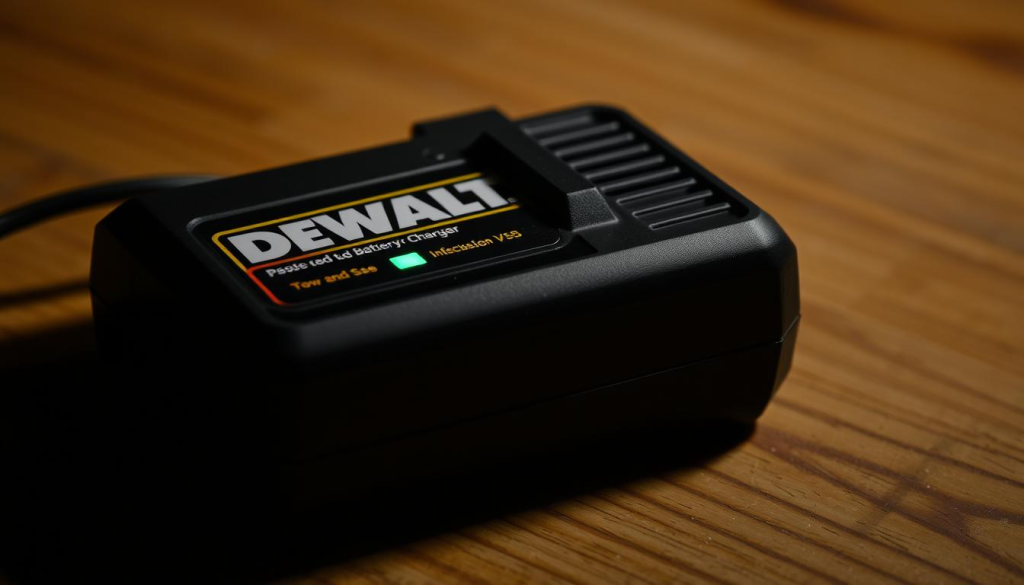
Estimated Lifespan of Various Chargers
The lifespan of a DEWALT charger can vary based on factors such as usage, maintenance, and the type of charger. Generally, a well-maintained DEWALT charger can last for several years.
Here’s a rough estimate of the lifespan for different types of DEWALT chargers:
| Charger Type | Estimated Lifespan |
|---|---|
| Standard Charger | 3-5 years |
| Fast Charger | 2-4 years |
| Multi-Battery Charger | 4-6 years |
Regular maintenance and proper usage can extend the lifespan of your DEWALT charger. If you’re experiencing persistent Page 3 issues, it might be time to consider replacing your charger.
DEWALT Customer Support: When to Reach Out
When you’ve exhausted all troubleshooting steps and your DEWALT charger remains non-operational, reaching out to customer support is the next logical step. DEWALT’s customer support team is designed to help you resolve issues that you can’t fix on your own.
Contacting DEWALT for Assistance
If you’re experiencing persistent issues with your DEWALT charger, there are several ways to contact DEWALT for assistance:
- Visit the DEWALT official website and use their contact form or support email.
- Call the DEWALT customer support hotline during their operating hours.
- Check if there are any authorized service centers near you for in-person support.
Before reaching out, ensure you have your charger’s model number and a detailed description of the issue ready. This information will help the support team to assist you more efficiently.
Warranty Information for Chargers and Batteries
DEWALT offers a warranty on their chargers and batteries. The warranty period varies depending on the product and region. Typically, DEWALT tools and chargers come with a 3-year limited warranty, while batteries may have different warranty terms.
To check if your charger or battery is still under warranty:
- Visit the DEWALT website and navigate to their warranty check page.
- Enter the product’s serial number or model number as prompted.
- Review the warranty details provided.
It’s also a good practice to register your DEWALT products on their website to validate the warranty and receive updates on your products.
By contacting DEWALT customer support, you can get the necessary help to repair or replace your charger if it’s under warranty. Always refer to the user manual or DEWALT’s official website for the most accurate and up-to-date information.
Preventive Maintenance for DEWALT Chargers
Preventive maintenance is key to keeping your DEWALT charger in good working condition. By following a few simple steps, you can ensure your charger continues to operate efficiently and effectively. Regular maintenance not only prolongs the lifespan of your charger but also helps in preventing common issues that may arise due to neglect or improper care.
Proper Storage Techniques
Proper storage of your DEWALT charger is essential to maintain its functionality. Store the charger in a cool, dry place, away from direct sunlight and moisture. Avoid storing the charger in areas with high humidity or extreme temperatures, as this can damage the internal components. When not in use, keep the charger disconnected from the power source to prevent any accidental damage or electrical shock.
Best Storage Practices:
- Keep the charger away from dust and debris.
- Avoid storing the charger near heating vents or radiators.
- Use a protective cover or case if available.
Regular Cleaning Suggestions
Regular cleaning of your DEWALT charger is vital to ensure it functions properly. Dust and debris can accumulate on the charger’s contacts and vents, potentially causing overheating or malfunction. To clean the charger, use a soft, dry cloth to wipe down the exterior. For more thorough cleaning, a slightly damp cloth can be used, but ensure the charger is completely dry before reconnecting it to the power source.
Important Cleaning Tips:
- Unplug the charger before cleaning.
- Avoid using harsh chemicals or abrasive materials.
- Regularly inspect the charger’s contacts for signs of wear or corrosion.
By following these preventive maintenance tips, you can significantly reduce the risk of issues with your DEWALT charger. Regular upkeep not only ensures the longevity of the charger but also maintains its performance and safety. For more complex issues or if you’re unsure about performing maintenance yourself, consider consulting the user manual or contacting DEWALT customer support for assistance.
Understanding DEWALT Charger Indicators
The LED indicators on DEWALT chargers serve as a diagnostic tool, helping users identify charging issues and battery status. These indicators are crucial for troubleshooting problems such as a DEWALT charger not turning on or failing to charge a battery.
Meaning of LED Indicator Lights
DEWALT chargers use LED lights to communicate the charging status. Typically, a red LED indicates that the battery is charging, while a green LED signifies that the charging is complete. Some models may have additional LEDs to show different stages of charging or to indicate faults.
- Red LED: Battery is charging.
- Green LED: Charging is complete.
- Blinking LED: Indicates a fault or issue, such as a defective battery or charger malfunction.
Identifying Error Codes
Some DEWALT chargers are equipped with the ability to display error codes, providing more detailed diagnostic information. These codes can be used to identify specific issues, such as a faulty battery or a problem with the charger itself. For instance, if your DEWALT charger won’t charge and displays an error code, referring to the user manual can help you understand the issue.
To troubleshoot effectively, it’s essential to understand the meaning behind these indicators and codes. By doing so, you can address issues such as a DEWALT charger not turning on or failing to charge properly, ensuring your tools are always ready for use.
Upgrading Your DEWALT Charging System
DEWALT users can benefit greatly from upgrading their charging systems to the latest technology. Upgrading can significantly enhance the overall performance and efficiency of your power tools.
Exploring Fast Chargers vs. Standard Chargers
When considering an upgrade, one of the key decisions is whether to opt for a fast charger or stick with a standard charger. Fast chargers can significantly reduce downtime by charging batteries quicker, making them ideal for professionals who rely heavily on their tools. On the other hand, standard chargers are often sufficient for casual users and can be more cost-effective.
The choice between fast and standard chargers depends on your specific needs and usage patterns. If you’re frequently using your DEWALT tools for extended periods, a fast charger can be a valuable investment.
Benefits of Multiple Battery Charging Stations
Another aspect to consider when upgrading your DEWALT charging system is the use of multiple battery charging stations. These stations allow you to charge several batteries simultaneously, which can be particularly beneficial for users with multiple tools or for those who need to keep a steady supply of charged batteries on hand.
Multiple battery charging stations offer several advantages, including increased productivity and reduced downtime. They also help in organizing your workspace by keeping chargers and batteries neatly managed.
- Enhanced productivity through simultaneous charging
- Reduced downtime with multiple batteries ready to use
- Better organization of workspace and equipment
By upgrading to a more advanced DEWALT charging system, users can address common issues such as dewalt battery charger problems and potentially reduce the need for repairs, including how to repair dewalt charger concerns.
Frequently Asked Questions about DEWALT Chargers
Many DEWALT charger issues can be easily diagnosed and fixed by referring to frequently asked questions and expert tips. Understanding the common problems and their solutions can save time and enhance the overall user experience.
Common User Inquiries
Users often have questions about the compatibility of DEWALT batteries with different chargers. It’s essential to match the battery type with the appropriate charger to avoid any potential issues.
- Ensure that your DEWALT battery is compatible with the charger.
- Check the user manual or manufacturer’s website for compatibility information.
- Avoid using damaged or worn-out batteries, as they can cause charger malfunction.
Another common inquiry is about the charger’s LED indicators. Understanding what these lights signify can help diagnose problems more effectively.
Troubleshooting Tips from Experts
Experts recommend a few troubleshooting steps when dealing with a DEWALT charger that isn’t functioning correctly.
- Check the Power Source: Ensure that the charger is properly plugged into a working outlet.
- Inspect the Charger: Look for any visible signs of damage or wear on the charger and its components.
- Test the Battery: Try using the battery with another charger or test another battery with the current charger to isolate the issue.
If your DEWALT charger is not powering up, it could be due to a variety of reasons, including a faulty power source or a damaged charger. Refer to the troubleshooting tips above to identify and potentially fix the problem.
For more complex issues, consulting the user manual or contacting DEWALT customer support can provide additional assistance and guidance.
Conclusion: Getting Your DEWALT Charger Back on Track
Troubleshooting and fixing DEWALT charger issues can be straightforward when you understand the common problems and their solutions. By identifying the root cause of why your DEWALT charger is not working, you can take the necessary steps to fix DEWALT charger issues and get back to work.
Key Takeaways
Throughout this article, we’ve explored various aspects of DEWALT chargers, including common issues, troubleshooting steps, and preventive maintenance. Understanding the differences between lithium-ion and NiCad batteries, as well as the importance of matching the charger to the battery type, is crucial for optimal performance.
Take Action
Now that you’ve gained insight into the workings of your DEWALT charger, it’s time to apply this knowledge. Check your power sources, inspect your charger for damage, and test your battery. By doing so, you’ll be able to fix DEWALT charger issues and extend the lifespan of your equipment. Regular maintenance and proper storage can also help prevent future problems, ensuring your DEWALT charger continues to function efficiently.